
Integration
How to install ImpactPilot for HubSpot
Collaboration tools that support shared documents often offer.
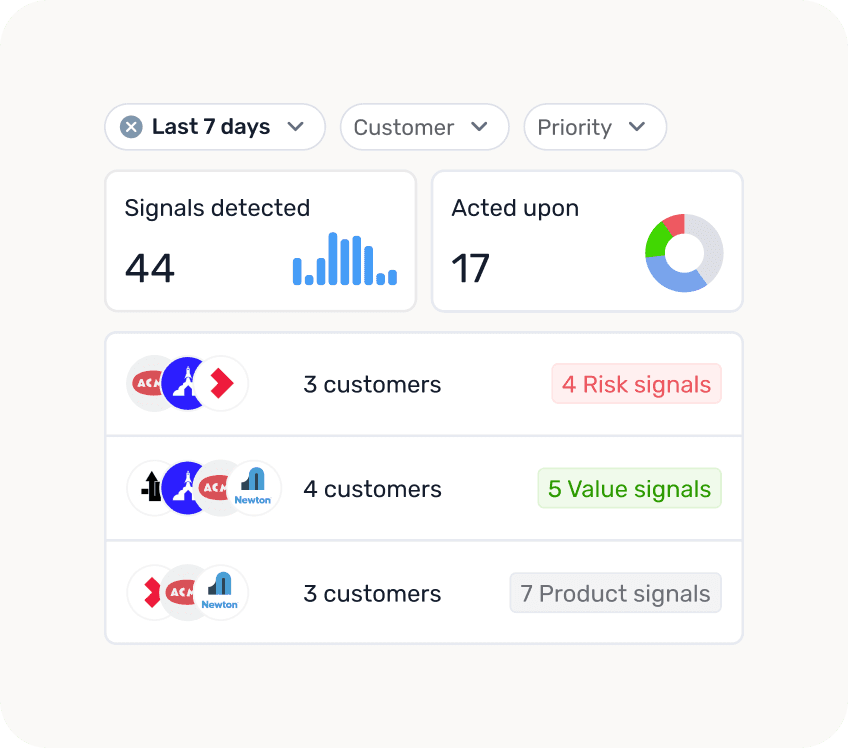


To install ImpactPilot for HubSpot, connect your HubSpot account, choose which customers to track, map a few HubSpot properties and switch on the Signals you want. Onboarding has three steps, and once you finish, AI agents start analysing your HubSpot data straight away.
ImpactPilot runs on the data you already have in HubSpot. No migration, no second platform. You can change every setting later.
What do you need before you start?
A HubSpot user who is allowed to connect apps to your portal (usually a Super Admin).
An idea of which companies count as active customers, for example Lifecycle stage is Customer.
The HubSpot properties that hold revenue, contract end date and company owner.
Google Chrome, if you want ImpactPilot inside HubSpot through the extension.
Step 1. How do you connect ImpactPilot to HubSpot?
Go to app.impactpilot.io and click Connect HubSpot. Log in to HubSpot if asked, choose your portal and approve the connection. You land back in ImpactPilot, ready for onboarding.

Step 2. How do you choose which customers ImpactPilot tracks?
In Setup data access you define what an active customer means for you. Build filters on any HubSpot company property, for example Lifecycle stage equals Customer and ARR greater than 1,000, and combine them with AND or OR. ImpactPilot focuses its insights on the companies that match. Pick your date format and click Continue.

Step 3. How do you map your HubSpot data?
In Configure data mapping you tell ImpactPilot which HubSpot properties hold its key metrics. This helps the AI understand your data.
Revenue: the property with what a customer spends, such as ARR.
Contract end-date: the property with the renewal date.
Auto-renewal date: whether the customer renews automatically.
Company owner: the property that defines who owns each company, such as Company owner or your own CSM property.

Step 4. Which Signals should you enable?
Signals flag risks and opportunities across your portfolio as they happen. In Enable Signals you switch them on per group: Risks, Product and Value. Each Signal shows its priority, how long it stays active and which actions follow, for example a Slack message, an email notification or a HubSpot task.
Examples of risk Signals: churn risk, a champion leaving, financial risk, an upcoming renewal and no recent engagements. Start with a handful and add more once your team is used to them. Then click Ready to take-off.

Step 5. What happens after onboarding?
ImpactPilot's AI agents start working through your HubSpot data, looking for patterns and Signals. This usually takes minutes, depending on how much data you have, and you get a notification when your first insights are ready.
In the meantime, install the ImpactPilot Chrome extension. It puts ImpactPilot inside HubSpot, in a sidebar on your company records, so your team sees Signals, processes and customer context without leaving HubSpot.

Step 6. How do you set up Processes?
Processes turn your CS playbook into a repeatable plan per segment. A Process has three parts:
Segment: which customers it applies to, based on HubSpot properties.
Cadence: one-off, monthly, quarterly, half-yearly or yearly.
Activities: what your team should do in each cycle, such as a check-in, a strategic review or engaging a key stakeholder.
Customers join and leave a Process automatically when they match its segment. Start from a template (Onboarding, Renewal, High-touch, Mid-touch or Low-touch) and adjust it to how your team works.
What does ImpactPilot read and write in HubSpot?
It reads the companies that match your filters, the company properties you select, the company owner, and engagements on those companies: emails, meetings, calls and notes.
It writes its AI insights back to the company record as properties, such as risks, opportunities, product feedback and health rationale, so you can use them in HubSpot views, reports and workflows. Tasks, deals and notes are only created when you or an action you set up triggers them.
Frequently asked questions
How long does it take to set up ImpactPilot?
Onboarding has three steps: data access, data mapping and Signals. After that, the AI agents usually finish their first analysis within minutes.
Do I need to migrate data?
No. ImpactPilot works on the data already in HubSpot and writes its insights back to HubSpot.
Can I change my setup later?
Yes. Filters, data mapping, Signals and Processes can all be changed in settings at any time.
Does my team need a separate login?
With the Chrome extension, your team works with ImpactPilot inside HubSpot, next to the company record.
